
Stay Connected to Your Car
Your car is talking. Now you’ll hear it.
CarChief reads your car’s diagnostics and follows your manufacturer’s service schedule. When service is due or a warning light comes on, you get a text, email or app alert, and your dealership is ready to help.
Alerts by text, email and pushLocation only you can seeWeb, iOS and Android
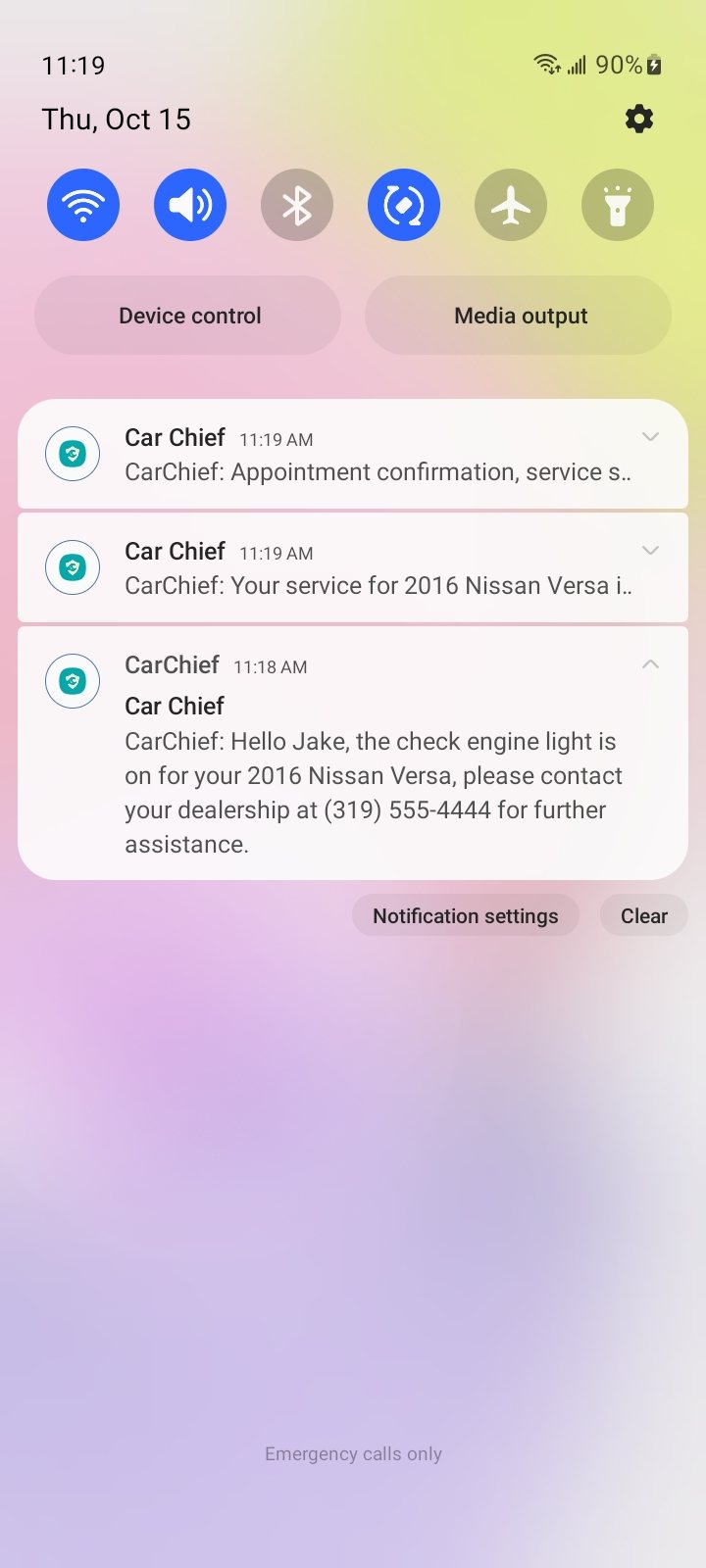
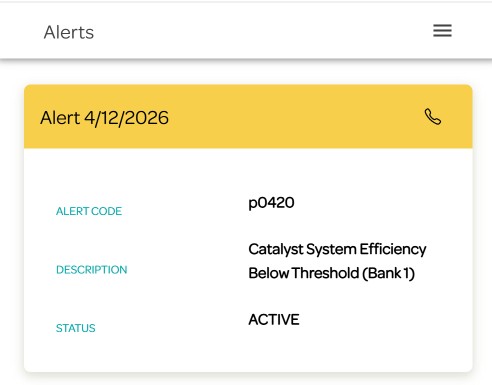
Real screens from the CarChief app
Service, on schedule
Reminders follow your manufacturer’s intervals, not a sticker on the windshield.
Warning lights, explained
See the code and what it means the moment it appears.
Your car, 24/7
Find it, get directions to it and see where it’s been.
Help if it’s stolen
Report it in the app and share a live tracking link with police.
Why it matters
Know what your car needs before anyone tells you.
CarChief® lists the exact services your manufacturer requires at your mileage, so you walk into the service lane already knowing what’s due.
57%
of U.S. drivers say they’ve definitely or probably paid for a repair or maintenance service they didn’t need.
Source: Jerry, 2025 State of the American Driver Report. Online survey of 1,000 U.S. drivers, November 2024.
63%
of U.S. drivers say they generally don’t trust auto repair shops.
Source: AAA, Auto Repair Survey, 2016. Phone survey of 1,001 U.S. drivers, September 2016.
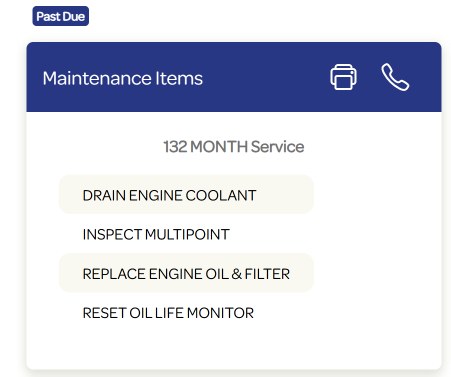
A real maintenance alert: each item comes from the manufacturer’s schedule.
What you get
Everything your car is trying to tell you.
One account on the web and in the app. Add every car in the household and everyone who drives them.
Check-engine alerts
When the light comes on, you’ll know why.
You get the fault code and what it means right away, by text, email and push. Your dealership gets it too, so one call gets you booked.
P0420 · Catalyst efficiency below thresholdMaintenance reminders
Based on your mileage or time since the last visit, with the manufacturer’s list of what to do.
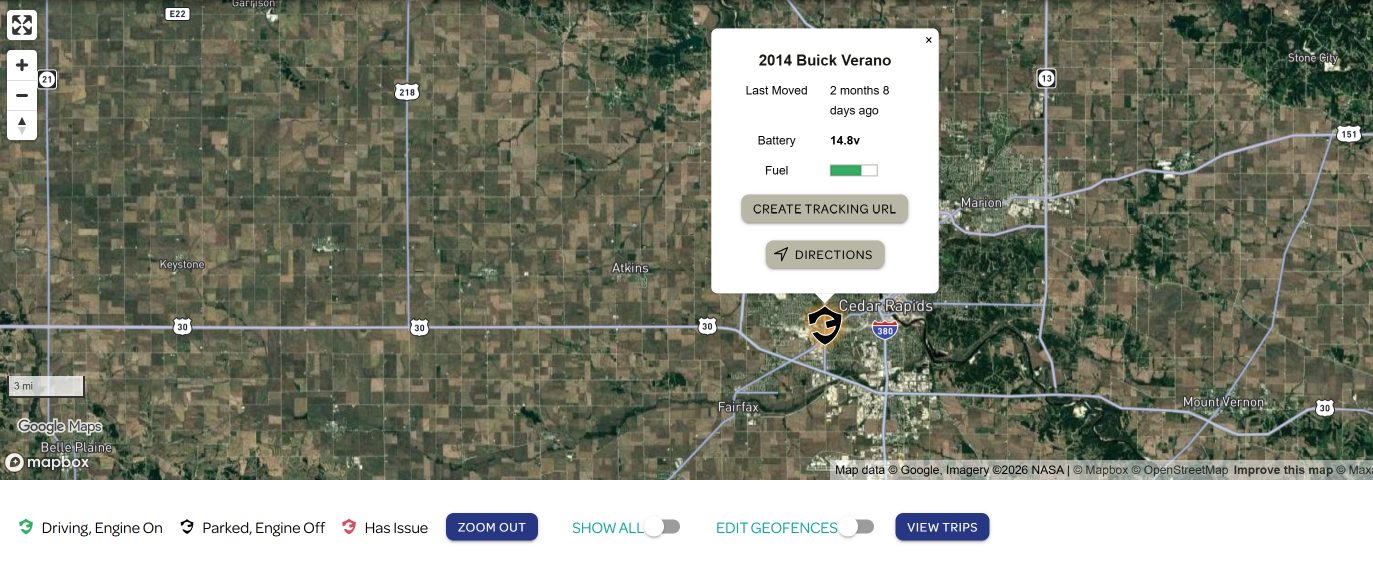
Know where your car is, any time.
See when it last moved, battery and fuel, get directions, and review your trips. Only you can see it, not your dealership.
Service history in one place
Past alerts and the work done on each car, ready when you sell it or need a record.
Alerts when they get there.
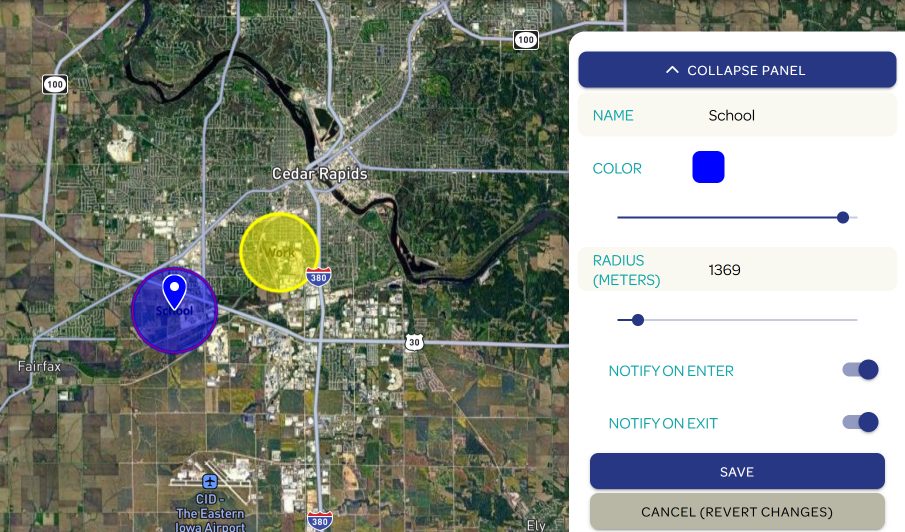
Draw your own zones around home, work or school, and choose an alert when the car arrives, leaves or both.
Every car, every driver
No limit on vehicles. Add family members as users so the right person gets the alert.
If your car is stolen
Three steps, and you’re not doing them alone.
1
Call the police where it happened.
File a report first. Officers will need it to act.
2
Tap Report Stolen and share a tracking link.
The link shows police your car’s live location for up to 24 hours.
3
Call the CarChief stolen-vehicle hotline.
1-833-207-5163
Create Tracking URL makes the shareable link for police.
How it works
Nothing to install. Nothing to remember.
01
Drive
Your dealership installed the device in your car’s OBD-II port. It reads your car’s diagnostics as you drive.
02
Get alerted
When service is due or a fault code appears, you get a text, email and push notification.
03
Book with your dealer
Your dealership sees the same alert and can help you schedule. Some let you book online yourself.
04
Keep the record
Completed work is saved to your car’s service history in the app.
On the web, iPhone and Android.
Log in with the same account everywhere. Your dealership gave you your login details at delivery.
Questions drivers ask
The short answers.
More on alerts, your account and appointments in Help & FAQs.
Does CarChief® pay for my vehicle service?
No, CarChief® does not cover the cost of your vehicle service. CarChief® is a service designed to notify you of upcoming maintenance needs and alert you to any issues, such as a check engine light. The cost of maintenance and repairs is the responsibility of the vehicle owner.
Can my dealership see my location?
No. Only you are able to access your vehicle location via your CarChief® customer portal.
The check engine light is on. What now?
CarChief® alerts both you and your dealership when your vehicle’s check engine light is activated. Through your online portal you can see the diagnostic code, and your dealership can assess its severity and schedule service.
I forgot my password.
Select the “Forgot Password” option at portal.mycarchief.com/login to reset and set a new password.
I’m not receiving messages from CarChief®.
Verify that your phone number and email address are correct. Log into your consumer portal, click Edit in the upper-right where your information is listed, and update the field that needs to be corrected, or contact your dealership for help.
Check on your car now.
Appointments, renewals and account changes? Your dealership can help fastest.